Gitlab打包镜像发往Doerck仓库
上一篇已经安装过Gitlab 所以安装的就不重新再讲 ,Gitlab自动化流程CI CD 构建任务都会占用很多的系统资源 (譬如编译代码),而 GitLab CI 又是 GitLab 的一部分,如果由 GitLab CI 来运行构建任务的话,在执行构建任务的时候,GitLab 的性能会大幅下降。
GitLab CI 最大的作用是管理各个项目的构建状态,因此,运行构建任务这种浪费资源的事情就交给 GitLab Runner 来做.
安装GitLab Runner
Linux下载
1 | # Linux x86-64 |
赋予执行权限
1 | chmod +x /usr/local/bin/gitlab-runner |
创建runner用户
1 | useradd --comment 'GitLab Runner' --create-home gitlab-runner --shell /bin/bash |
将gitlab ci用户添加到docker运行用户的组里面
1 | 运行获取当前用户名称 |

GitLab注册Git Runner
开始运行GitLab-Runner
1 | gitlab-runner install --user=gitlab-runner --working-directory=/home/gitlab-runner |
打开GitLab页面,找到注册Runner的令牌
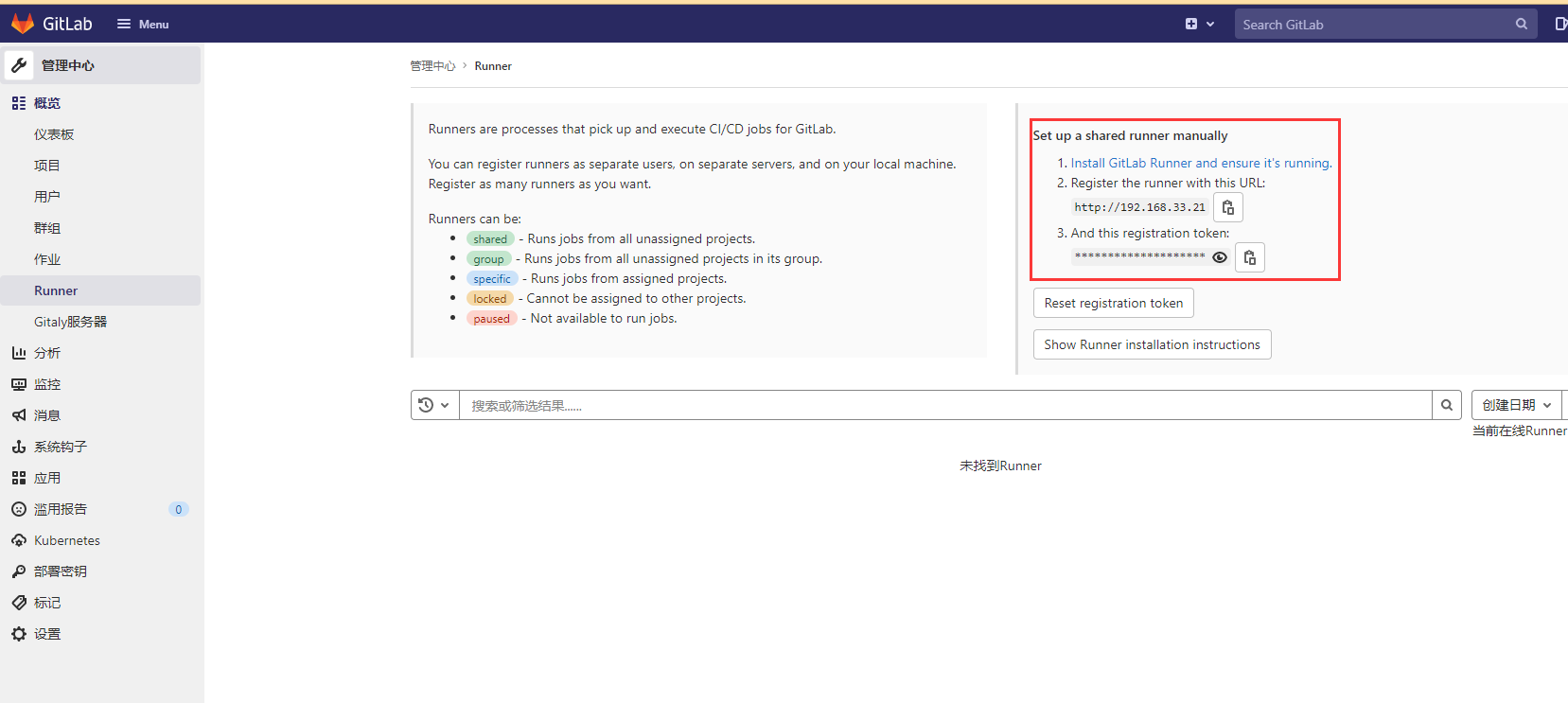
去GitLab Runner的节点上做注册
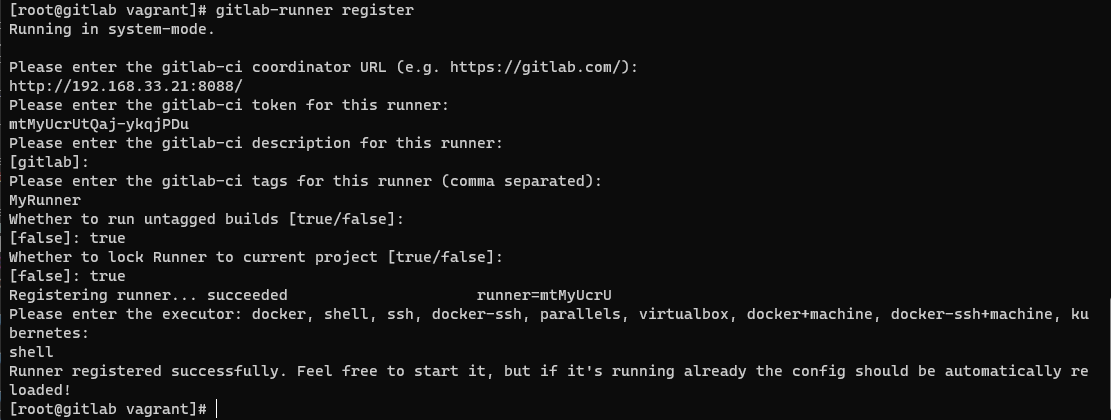
重启runner使之生效
1 | gitlab-runner restart |
刷新刚才的GitLab Runner页面,发现已经注册上GitLab
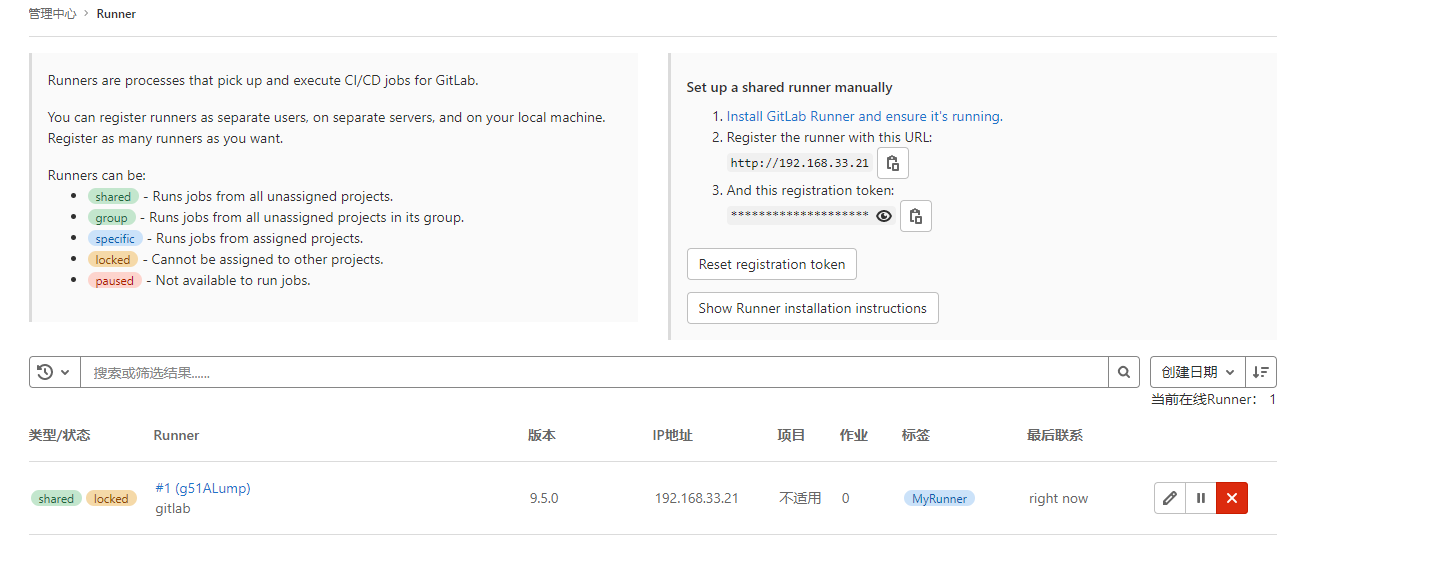
Ci打包推送到云Docker仓库
创建一个SpringBoot项目 在pom里面使用fabric8插件,我这里使用阿里云仓库

使用CI创建构造任务,gitlab-ci.yml, 我这里只是一个简单的yml配置,CI里面可以配置的东西很多,具体可以去查看官方文件
1 | stages: |
将项目上传到GitLab 就会触发CI 运行打包 上传任务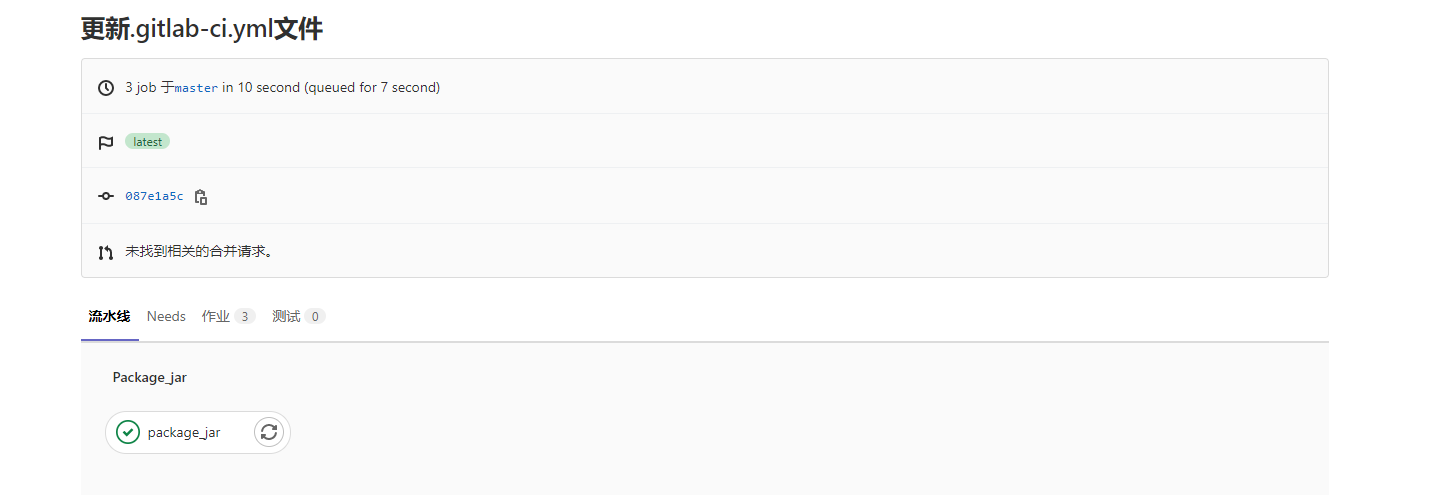
阿里云镜像仓库也可以看到已经上传的镜像

之后我们可以通过Kubernetes连接我们自己的镜像仓库,进行一个多服务器的更新操作,kubernetes的部署我在以前的文章有写过,有需要可以去看看,是轻量版的Kubernetes也叫K3S 地址k3s部署
参考链接
https://docs.gitlab.com/ee/ci/docker/using_docker_build.html
https://docs.gitlab.com/runner/install/linux-manually.html
https://www.jianshu.com/p/ced7fb1d436b!
https://www.cnblogs.com/houss/p/11341059.html
https://blog.csdn.net/boling_cavalry/article/details/106991691